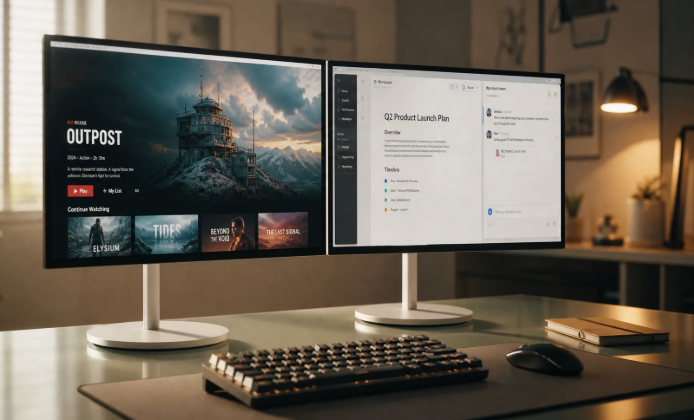

When watching the final over of a cricket match, keep the video on the main screen and give the phone one job. It might hold the scorecard, but it does not also need a group chat, social feed, and five match alerts. Those extra windows can reveal a wicket before the bowler starts the run-up on television. A useful two-screen setup comes down to choosing which version of the match to follow and closing anything that interrupts it.
Two Screens May Be Showing Different Moments
A television broadcast, an online scorecard, and a betting page do not necessarily reach the same delivery together. For viewers who also have Slot Desi’s desi live online cricket betting page open, that tab needs to be treated as a separate source of information. A change in odds cannot show how a delivery was bowled or fielded.
Live video takes time to process, travel across a network, and play on a device. The player may also hold a buffer before displaying it. A text update has a different delivery path, so the phone can show a result while the television is still showing the field being set.
There is no fixed gap that applies to every viewer. Even friends watching the same service can be at different points. Before the last over, compare one completed delivery across both screens. That reveals whether checking the phone will spoil the next ball on video.
Keep the Match Situation in View
During a run chase, the most useful numbers are the runs required and legal deliveries remaining. Keep those beside the names of the batters and the wickets lost. A full tournament table or a batter’s season statistics can wait until the match ends.
Read the overs notation carefully. In a T20 innings, 19.4 means 19 completed overs and four valid deliveries into the next one. It leaves two valid balls in a scheduled 20-over innings. The decimal point does not represent a fraction of ten.
Wides and no-balls do not count toward the six valid deliveries in an over. They can change the score without reducing the number of balls left. Watch the umpire’s signal before mentally advancing the count.
The striker matters, too. A single can bring a different batter on strike for the next delivery. The same runs requirement may then involve a completely different matchup. The score alone does not capture that change.
Close Anything That Competes With the Next Ball
The final over is a poor time to sort through every source covering the game. Close the extras before the bowler takes position:
- Mute group chats where friends react to a faster broadcast. Their celebrations can reveal the result immediately.
- Turn off score notifications if the video is the main event. A lock-screen banner can spoil a delivery without opening an app.
- Close additional streams. A second commentary track can announce a boundary before the preferred feed shows contact.
- Remove duplicate scorecards. Two slightly different totals create another discrepancy to investigate while play continues.
- Leave social feeds until afterward. Automatically refreshed posts can report the finish before the television catches up.
Keep one score source if it serves a clear purpose. If the broadcast graphic already shows everything needed, the phone can stay facedown. There is little benefit in checking an identical total on another screen while the bowler releases the ball.
Use the Pause Between Deliveries
The time to glance down is after the delivery has finished. Let the ball become dead, note the outcome, and then check any detail missed on the broadcast graphic. Return to the video before the next run-up begins.
That pause is enough to confirm the remaining requirement or identify the batter on strike. It does not need to become a trip through player profiles, reactions, and match summaries. Keep the scorecard positioned on the current innings so returning to it requires no scrolling.
During an umpire review, wait for the decision before treating an apparent dismissal as settled. A provisional update or a crowd reaction may arrive before the official outcome. Follow the decision on the chosen screen, then allow the other source to catch up. Refreshing several pages adds more versions to compare.
Choose Your Setup Before the Final Over Starts
Decide whether the priority is seeing each delivery unfold or receiving the result as quickly as possible. For an unspoiled finish, keep the broadcast in view and mute the faster sources. If immediate score updates matter more, follow one scorecard and accept that the video may show events already reported.
Make that choice before the first delivery of the over. Check whether the player has fallen behind its live position, set the volume, and clear notifications. Avoid repeatedly refreshing a working stream during the finish; reconnecting may interrupt the next delivery.
At the start of the over, the arrangement should be settled: the match on the main screen, one useful companion page on the phone, and chats closed. If that companion starts revealing results early, turn the phone over until the final decision appears on the broadcast.